 Written by
 Toasted Tomato has rolled out the Motor Town 0.7.19 update for Motor Town: Behind The Wheel on Steam, and it’s a meaty one. The patch adds a new low-floor city bus, a 4×2 semi tractor, a Coffee & Donut shop players can actually use, and driveway tiles for tidying up custom builds. On top of the headline additions, the update reworks the quest UI, adds a full passenger comfort system, and introduces dynamic weather with volumetric clouds. If you’ve been following our Motor Town: Behind The Wheel review, this is Early Access cadence in action: frequent, substantial drops rather than small tweaks.
What’s New in the Motor Town 0.7.19 update
The Motor Town 0.7.19 update, detailed directly on the game’s official Steam news page, bundles four major content additions with a long list of quality-of-life and system changes. The headline items are a new low-floor city bus, a 4×2 semi tractor, a functional Coffee & Donut shop, and paveable driveway tiles for player-owned properties. Around those, Toasted Tomato has reworked cargo pricing so it now reacts to global activity, added a trip-based passenger comfort model instead of momentary checks, rebuilt the quest interface around a trackable tree layout, and layered in volumetric clouds with dynamic weather states. None of it is filler: every addition ties into an existing system, whether that’s the freight economy, transit routes, or the way players dress up their in-game land. For a title still in Early Access, that kind of integrated patch is exactly what keeps a simulation feeling alive rather than static between content drops.
Beyond those four standouts, Toasted Tomato has also touched cargo economy, mod management, server settings, and the loading screen with small but welcome improvements, all of which are broken down further in the patch notes table below.
- New city bus (Civo): low-floor design with right-side kneeling and a rear-view camera.
- 4×2 semi truck (Longhorn day-cab): a new tractor option for hauling trailers.
- Coffee & Donut shop: a functional building where players can buy coffee and donuts for temporary buffs.
- Driveway tiles: new paving options to connect properties to the road.
New City Bus Vehicle
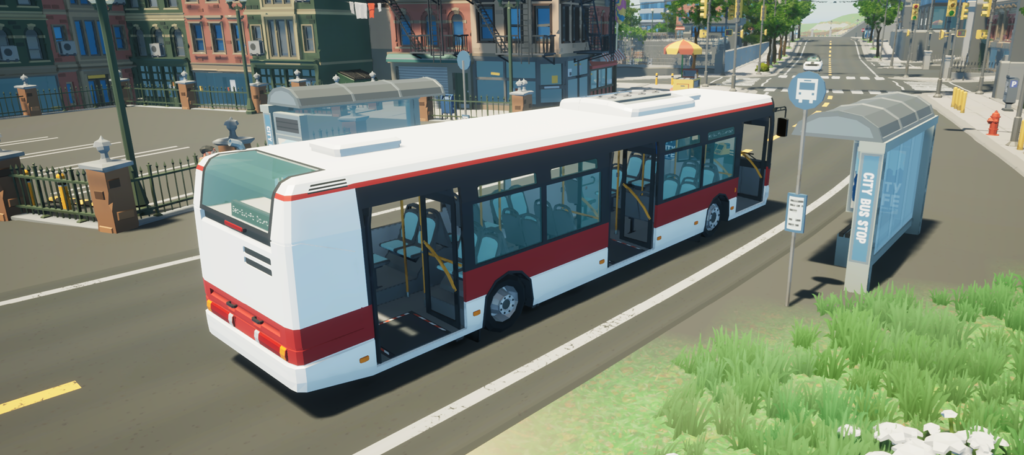
The Civo is Motor Town’s newest addition to public transport duty. It’s a low-floor city bus, meaning boarding is closer to street level, and it comes with right-side kneeling — the bus can lower itself on the curb side to make boarding easier, a detail that mirrors how real transit buses operate. A rear-view camera has also been added, useful for reversing in tight depot yards or narrow city streets.
This isn’t just a cosmetic add. Motor Town’s economy loop rewards players who run passenger routes, and a dedicated low-floor bus gives route operators a vehicle purpose-built for city work rather than repurposing a coach or minibus. Combined with the patch’s new passenger comfort system, which now evaluates the entire trip rather than just isolated moments, the Civo becomes a genuinely useful tool for building a believable transit line inside the game’s dynamic world. Players who already run scheduled bus routes should see the Civo slot in as their default city vehicle going forward.
4×2 Semi Truck Addition
Freight haulers get a new option too: the Longhorn, a 4×2 day-cab semi tractor. Unlike sleeper-cab trucks meant for long hauls, a day-cab configuration is built for shorter regional runs, which fits well with Motor Town’s evolving cargo network. The truck slots into the existing trailer system, so players who already run freight routes can simply add the Longhorn to their fleet.
The timing matters. This patch also introduces dynamic trade prices for cargo based on global activity, along with the ability to select a cargo target across multiple loading spaces. A new day-cab semi arriving alongside a smarter, more reactive freight economy gives haulers a real reason to diversify their trucks instead of running the same rig on every job, and it pairs naturally with the new Cargo Yard area mentioned further down in the full patch notes.
Coffee & Donut Shop Building
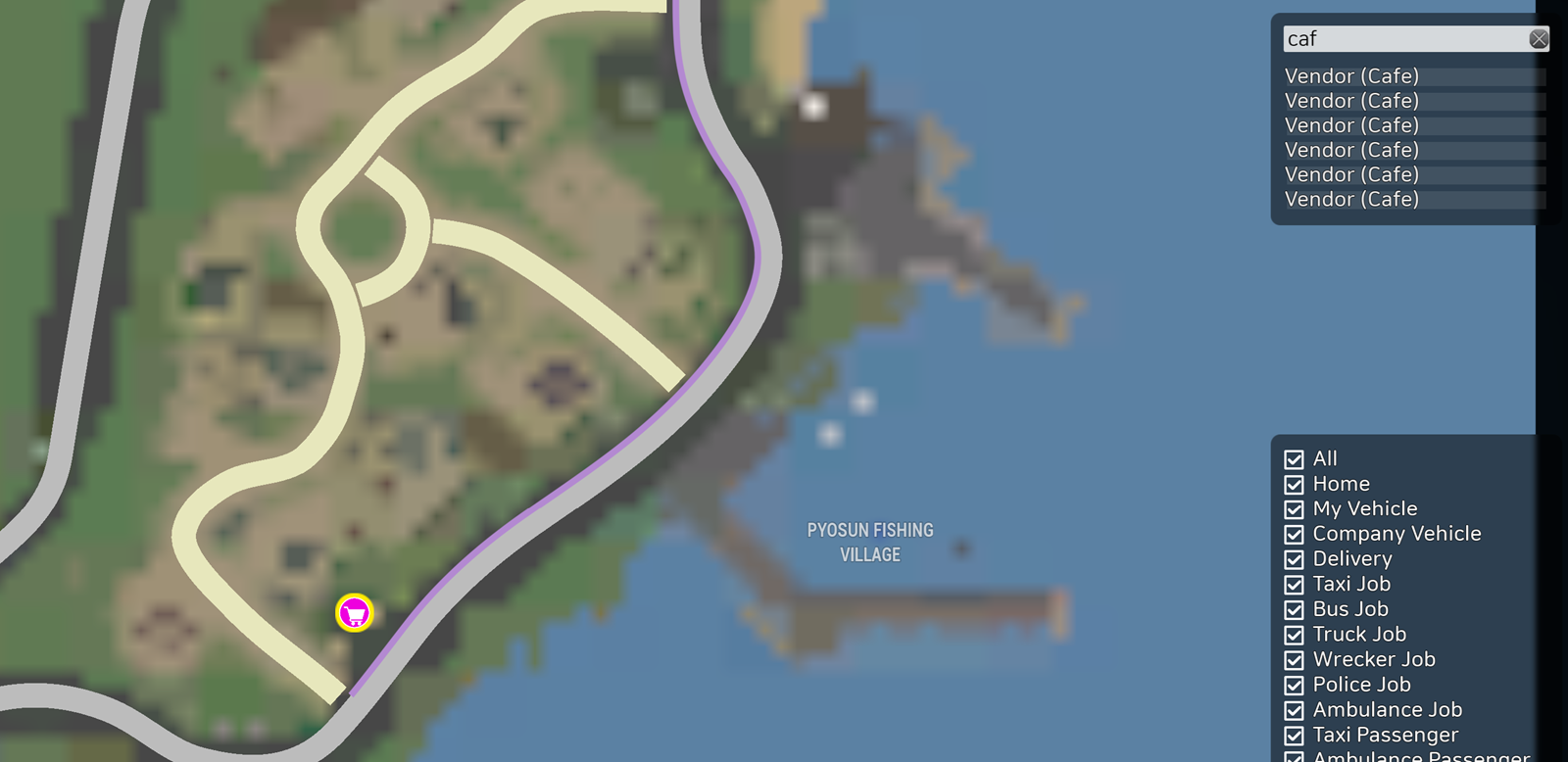
The Coffee & Donut shop is a functional addition, not just set dressing. Players can now buy coffee and donuts at the Cafe, and both purchases apply buffs — stamina and speed boosts, according to the patch notes. It’s a small mechanic, but it adds a layer of routine to long shifts behind the wheel, giving players a reason to stop, refuel themselves, and keep moving rather than just topping off the truck’s tank.
This ties into the broader theme of 0.7.19: small commercial buildings that give the open world more texture. The same update also adds new factories and shops elsewhere in the map, including the Biyang Electronic Factory, a fish market, a seafood restaurant, and a building materials store. The Coffee & Donut shop fits that same pattern of turning empty lots into places with a purpose, and it’s a good example of how Motor Town keeps expanding its world piece by piece rather than in one big sweep.
New Driveway Tiles for Custom Builds
For players who spend time customizing their properties, 0.7.19 adds driveway tiles that let you pave the space between a building and the road. Previously, that connective strip was often left as bare ground or awkward terrain; now it can be finished properly, matching the rest of a paved lot.
It’s a modest addition on paper, but it fixes a small, persistent annoyance for builders: the unfinished strip between a paved lot and the road. Combined with the patch’s other cosmetic and structural tools, driveway tiles give players one more way to make their in-game properties look intentional rather than half-built, which matters more the longer a save file runs and the more properties a player accumulates.
Full 0.7.19 Patch Notes Summary
Beyond the headline vehicle and building additions, patch 0.7.19 includes a wide range of systems and interface changes. The table below breaks down the main items from the official changelog; for context on what shipped before this patch, our Motor Town patch notes archive covers earlier updates in the same Early Access cycle.
| Addition | Description | Notes |
|---|---|---|
| City bus (Civo) | Low-floor bus with right-side kneeling and rear camera | Suited to city passenger routes |
| Semi truck (Longhorn 4×2) | Day-cab tractor for trailer hauling | Pairs with new dynamic cargo pricing |
| Coffee & Donut shop | Buyable items granting stamina and speed buffs | Available at the Cafe |
| Driveway tiles | Paving option for property-to-road connections | For custom builds and property upkeep |
| Elisa2 sedan | New sedan with an openable trunk; police variant replaces old Elisa | Also adds tuned Nuke Police GT to the station spawner |
| Quest UI | New tree-style quest interface with auto-tracking | Replaces previous quest layout |
| Passenger comfort | Comfort is now judged over the full trip | Affects bus and taxi routes |
| Weather & clouds | Volumetric clouds and dynamic weather added | Visual and world-state change |
| Cargo Yard | New dynamic world area with a passenger schedule | Part of world expansion |
| Mod management | Warning popups and a list to disable individual mods | Server settings can now change without a restart |
Other changes include a new hotkey for the inventory (I on keyboard, LB+B on gamepad), Workshop sorting and tagging improvements, vehicle status icons in the spawn menu for damage and low fuel, and the option to pause empty dedicated servers. A new roundabout has also been added at Dasa Harbor, along with tips on the loading screen.
Community First Impressions
Toasted Tomato continues its pattern of shipping vehicle and world-building content together rather than splitting them across separate updates: 0.7.19 pairs the new bus and semi truck with the cargo economy and passenger comfort changes that give both vehicles a practical role in the game rather than treating them as standalone additions.
The dynamic cargo pricing and passenger comfort overhaul directly affect income and route planning for players running dedicated transport or freight companies in-game, making them the two systems most likely to change how existing routes are managed. Early feedback from the community has generally welcomed the trade-off: a bit more planning overhead in exchange for routes that behave more like an actual regional network instead of a fixed loop.
FAQ: Motor Town 0.7.19 Update
What’s new in Motor Town 0.7.19?
The update adds a low-floor city bus, a 4×2 semi day-cab truck, a functional Coffee & Donut shop, and driveway paving tiles, plus a reworked quest UI, dynamic weather, and cargo economy changes.
Is the new bus different from existing transit vehicles?
Yes. The Civo is a low-floor model with right-side kneeling and a rear camera, features not previously available on Motor Town’s bus lineup.
What does the Coffee & Donut shop do?
Players can purchase coffee and donuts at the Cafe for temporary stamina and speed buffs.
Can I use the new driveway tiles on any property?
The tiles are designed to pave the connecting space between a property and the road, giving builders a finished look for custom lots.
How to Update Your Game
Motor Town updates through Steam automatically. Restart the Steam client if the download doesn’t begin on its own, and check the in-game changelog after launching to confirm you’re on version 0.7.19.
Conclusion
The Motor Town 0.7.19 update is a solid step for Motor Town, pairing two new vehicles with functional world additions rather than treating them as separate updates. The Civo bus and Longhorn semi give players fresh tools for their transit and freight operations, while the Coffee & Donut shop and driveway tiles add small but tangible detail to everyday play. For an Early Access title, it’s the kind of update that keeps the simulation feeling like it’s actually growing — and one worth checking against your own save the next time you launch the game.
Source: store.steampowered.com